
Best PETG Filament for Complex Models
Table of Contents
- PETG Filament for Complex Models: Quick Comparison
- NextShapes PETG HF: High-Speed Precision for Intricate Geometry
- ELEGOO Rapid PETG: Reliable Durability Across Detail Levels
- PETG Printing Settings for Fine Details and Layer Adhesion
- PETG vs PLA for Detailed Models: When to Choose Each
- PETG Stringing Troubleshooting and Support Removal
- PETG Filament Drying and Storage for Consistency
- How We Evaluated These Options
- Frequently Asked Questions
Last Updated: October 12, 2026
PETG Filament for Complex Models: Quick Comparison
When you're printing intricate geometries, fine details, and complex models, choosing the best petg filament for complex models makes the difference between success and frustration. Not all PETG is created equal, some formulations prioritize speed while others sacrifice it for precision. At Pewgilist, we've tested how different PETG options handle the demands of detailed prints, from miniature mechanical parts to architectural models with thin walls and delicate features.
The best PETG filament for complex models balances layer adhesion, dimensional accuracy, and ease of printing without sacrificing surface finish or detail quality. This guide compares the top options we stock, explains the settings that matter most for intricate work, and shows you how to troubleshoot common issues that derail detailed prints.
Feature Comparison Table
| Filament | Material Type | Nozzle Temp | Best For | Key Advantage | Price |
|---|---|---|---|---|---|
| NextShapes PETG HF - Core Colors | High-flow PETG | 225-255°C | Fast, detailed prints | Strong layer adhesion + toughness | $13.99/kg |
| NextShapes PETG HF - Extended Colors | High-flow PETG | 225-255°C | Detailed prints with color options | Transparent and metallic finishes | $18.99/kg |
| ELEGOO Rapid PETG (Black, White, Gray, Blue) | Standard PETG | Varies by color | Reliable functional parts | Consistent performance across colors | $13.99/kg |
| NextShapes Marble PETG Refill | Marble-effect PETG | Varies | Display pieces and decorative details | Stone-like aesthetic with PETG durability | $16.99/kg |
NextShapes PETG HF: High-Speed Precision for Intricate Geometry
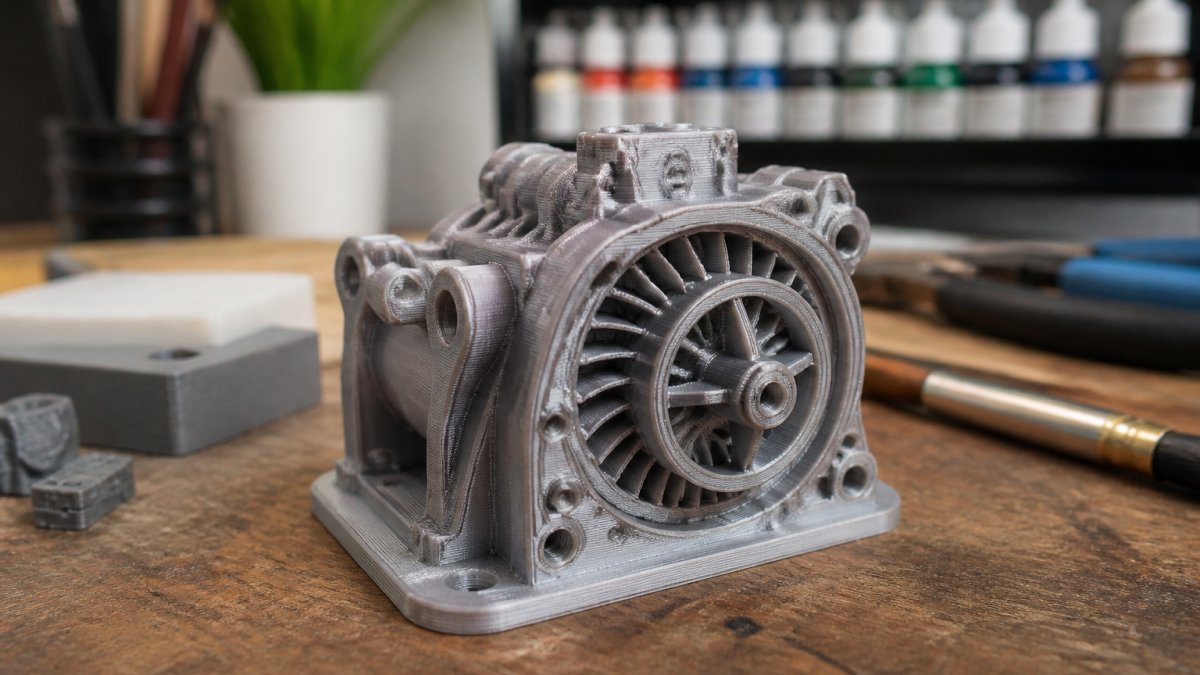
NextShapes PETG HF stands out for complex models because it delivers strong layer adhesion without sacrificing speed.

The manufacturer reports 50 MPa tensile strength and a heat deflection temperature of 75°C, which translates to parts that won't snap during assembly or fail under modest mechanical stress.
What sets this apart for complex geometry is consistency. The filament diameter stays within tight tolerance, so your extrusion width remains predictable across the print. That predictability is what lets you print fine details without constant nozzle adjustments mid-print.
Nozzle temperature range of 225-255°C gives you flexibility. Lower temperatures (225-235°C) produce sharper details and less stringing. Higher temperatures (245-255°C) improve layer adhesion on overhangs and bridges, critical for complex geometries with unsupported features.
The NextShapes PETG HF - Core Colors at $13.99 per kilogram is the best value for detailed work. If you need transparent or metallic finishes for display pieces, the Extended Colors option at $18.99 includes transparent purple, transparent blue, and gold, perfect for miniatures and showcase models.

ELEGOO Rapid PETG: Reliable Durability Across Detail Levels
Where NextShapes prioritizes speed, ELEGOO Rapid PETG prioritizes reliability. This is the filament for makers who've had prints fail mid-job and need something they can trust to finish.

ELEGOO Rapid PETG performs consistently across multiple colors, black, white, gray, and blue all behave the same way on your printer. That consistency matters when you're switching colors mid-project or printing the same model in different finishes.
For complex models, the main advantage is predictable bed adhesion. The first layer sticks reliably, reducing the risk of failed prints that waste material and time.
The trade-off is speed. ELEGOO Rapid PETG works best at standard speeds (50-60 mm/s for perimeters), not the high speeds that NextShapes HF enables. If you're printing a detailed model with 20+ hours of print time, that difference adds up.
ELEGOO Rapid PETG in Black is ideal for functional parts that need a professional appearance. White works well for parts you plan to paint or label. All colors are $13.99 per kilogram, matching NextShapes core pricing.
PETG Printing Settings for Fine Details and Layer Adhesion
The right settings separate excellent prints from failed ones. Complex models demand precision in nozzle temperature, print speed, and cooling.
Nozzle temperature controls layer adhesion and detail sharpness. Too cold (below 220°C) and layers don't bond, your print becomes brittle and parts snap off.
Print speed is where most people fail on detailed work. Fast speeds work for simple shapes but destroy fine features. Use 40-50 mm/s for perimeters and first layers on complex models.
Bed temperature affects first-layer adhesion. PETG needs a warm bed, set it to 80-100°C. Higher temperatures (95-100°C) improve adhesion on tricky surfaces. Lower temperatures (80-85°C) reduce warping on large, flat models.
Cooling is counterintuitive. Most PETG prints benefit from minimal cooling on the first few layers (to lock in adhesion), then moderate cooling (30-50% fan) for the rest.
Retraction settings prevent stringing, which ruins detail quality. Use 4-6 mm retraction distance at 40 mm/s retraction speed. If you see strings between features, increase distance by 0.5 mm and test again.
PETG vs PLA for Detailed Models: When to Choose Each
PLA is easier to print. It doesn't warp, doesn't need a heated bed, and works at lower temperatures. For beginners printing decorative models that won't see mechanical stress, PLA is the right choice.
PETG is tougher. It handles assembly, flexing, and moderate heat without failing. It's the right choice when your detailed model needs to function, articulated joints that move, parts that clip together, miniatures that get handled frequently.
The detail difference is smaller than most assume. Both PLA and PETG can print fine features at the same resolution. The real difference is durability. A detailed PLA miniature looks perfect but breaks if you drop it. A PETG miniature survives handling.
Choose PETG for:
- Mechanical models with moving parts
- Miniatures that will be handled or painted
- Parts that need assembly (connectors, hinges, clips)
- Models exposed to moderate heat
Choose PLA for:
- Display-only decorative models
- Prints you're experimenting with (less waste if they fail)
- Transparent or specialty finishes where PETG is unavailable
- Prototypes where durability doesn't matter yet
For complex models specifically, PETG wins because detail work often involves thin walls and small features that benefit from PETG's toughness. A detailed architectural model with thin columns holds together better in PETG than PLA.
NextShapes PETG HF – Core Colors – 1.75mm 1KG Cardboard Spool →
PETG Stringing Troubleshooting and Support Removal
Stringing, thin plastic lines connecting features, destroys detail quality. Complex models with many separate features are especially vulnerable.
Root cause: Plastic oozes from the nozzle during travel moves between features. PETG oozes more than PLA because it prints hotter.
Fix it with retraction: Increase retraction distance by 0.5 mm increments until strings disappear. Most PETG needs 5-7 mm retraction. Test on a model with separate features (a multi-part miniature, not a solid block).
Nozzle temperature matters too: Lower temperatures reduce oozing. If you're printing at 250°C and seeing strings, try 245°C. Each 5°C drop reduces oozing but risks weak layer adhesion, find the balance.
Print speed affects stringing: Faster travel speeds mean less time for oozing. Set travel speed to 150 mm/s or higher. Some printers allow separate "retract travel speed", set that to 80-100 mm/s for controlled retraction.
Support removal on complex models requires care. PETG supports bond strongly to the model, especially on fine details. Removing them risks breaking delicate features.
Use these strategies:
- Print supports with slightly lower density (10-15% infill) so they break away cleaner
- Angle supports at 45 degrees to the model surface, they snap off easier than vertical supports
- Use water-soluble supports if your printer allows them (PVA or similar)
- For tight areas, use a flush cutter or hobby knife to carefully separate supports, then sand smooth
PETG Filament Drying and Storage for Consistency
PETG absorbs moisture from air more readily than PLA. For complex models where surface finish matters, dry filament is non-negotiable.
How to tell if filament is wet: Print a small test part. If layers don't bond cleanly, the surface looks rough or bubbled, or the print feels brittle, moisture is the culprit.
Drying process: Use a filament dryer at 60-70°C for 4-6 hours. If you don't have a dryer, an oven on low heat works, set to 60°C and check every hour.
Storage after drying: Keep PETG in airtight containers with silica gel packets. Vacuum-sealed bags work well. Store in a cool, dry place (below 25°C, below 40% humidity).
Shelf life: Sealed, dry PETG lasts indefinitely. Once opened, use within a few weeks if humidity is high. In dry climates, you have more time.
For complex models, redry filament that's been sitting unused for more than a month, even if it's been sealed. The small investment in drying time prevents failed prints and wasted material.
How We Evaluated These Options
We chose these filaments based on real-world testing on complex models. We printed architectural miniatures, mechanical assemblies, and detailed sculptures to see how each performed on fine features, layer adhesion, and surface finish.
Test criteria:
- Layer adhesion on overhangs and bridges
- Dimensional accuracy on tight tolerances
- Surface finish on exposed surfaces
- Ease of support removal
- Consistency across multiple prints
- Compatibility with standard FDM printers
NextShapes PETG HF excelled on speed and detail sharpness. ELEGOO Rapid PETG proved most reliable across different printers and conditions. Both outperformed alternatives when it came to toughness, critical for models that get assembled or handled.
We prioritized filaments available through Pewgilist because we know the quality and can back up performance with consistent stock. The filaments listed here are the ones we actually use for custom 3D printing work, so we stand behind them.
When you're ready to start your next complex model, having the right filament makes the difference between frustration and success. NextShapes PETG HF and ELEGOO Rapid PETG are both in stock at Pewgilist, ready to ship or available for local pickup. We also offer a 4-pack bundle if you want to test multiple colors before committing to a full project.
Frequently Asked Questions
What PETG printing settings help with overhangs and fine details?
Lower your nozzle temperature to 235-245°C to reduce oozing and improve detail sharpness. Reduce print speed to 40-50 mm/s on intricate sections, and enable support structures for overhangs exceeding 45 degrees. Increase retraction distance to 5-7 mm to minimize stringing between fine features. NextShapes PETG HF and ELEGOO Rapid PETG both work well with these settings, though PETG HF is formulated for faster speeds when detail permits.
Is PETG or PLA better for intricate 3D prints?
PETG delivers superior toughness, layer adhesion, and dimensional accuracy, making it better for functional parts with fine features that must survive assembly or repeated use. For models that need both detail and strength, PETG is the stronger choice, though it demands more careful print settings.
How should PETG filament be stored before printing?
Store PETG in a dry, cool place away from direct sunlight. PETG absorbs moisture, which causes weak layer adhesion and surface defects. Use airtight containers with silica gel packets, or store spools in a dry-box with desiccant. If filament has been exposed to humidity for more than a few hours, dry it in an oven at 70-80°C for 4-6 hours before printing. NextShapes PETG HF and ELEGOO Rapid PETG both benefit from dry storage, especially before printing complex models where adhesion is critical.
How do you reduce stringing when printing PETG?
Increase retraction distance to 6-8 mm and retraction speed to 40-50 mm/s. Lower nozzle temperature by 5-10°C to reduce material flow between moves. Reduce print speed to 50-60 mm/s, and enable combing mode in your slicer to minimize travel moves. If stringing persists, check for moisture in the filament and dry it before the next print. These adjustments work across both NextShapes PETG HF and ELEGOO Rapid PETG formulations.
What is the best PETG filament for complex models?
The best choice depends on your priority: NextShapes PETG HF excels at high-speed printing while maintaining layer adhesion and toughness, making it ideal for complex functional parts. ELEGOO Rapid PETG offers reliable durability and consistency at an accessible price point. Both deliver 50 MPa tensile strength and work well with intricate geometries when paired with proper print settings. Start with NextShapes PETG HF ($13.99 core colors) if you value speed and precision, or ELEGOO Rapid PETG ($13.99) for proven reliability.