
Best Alternatives to Ultimate 3D Printing Store
Table of Contents
- Why Makers Switch to Alternative 3D Printing Services
- Custom 3D Printing Services: What to Compare
- How to Prepare STL Files for 3D Printing
- Custom Miniature 3D Printing for Tabletop Gaming
- 3D Printing Service for Custom Parts: When to Outsource vs. Print at Home
- Building Your Own Supply Chain: Filament + Custom Services
- Conclusion
- Frequently Asked Questions
Last Updated: October 20, 2026
Why Makers Switch to Alternative 3D Printing Services
When you're serious about 3D printing, the service you choose makes the difference between projects that succeed and ones that waste time and money. At Pewgilist, we empower creators to bring their ambitious projects to life by providing trusted brands, practical how-to guides, and even custom 3D printing services.
Outsourcing isn't always the answer. Some projects demand materials or precision home printers can't deliver; others benefit from professional speed and scale. Understanding what to compare helps you pick the right partner for each job.
This guide covers the key factors for evaluating 3D printing alternatives, materials, turnaround, and design support, plus when outsourcing makes sense and when in-house production is smarter.
Custom 3D Printing Services: What to Compare
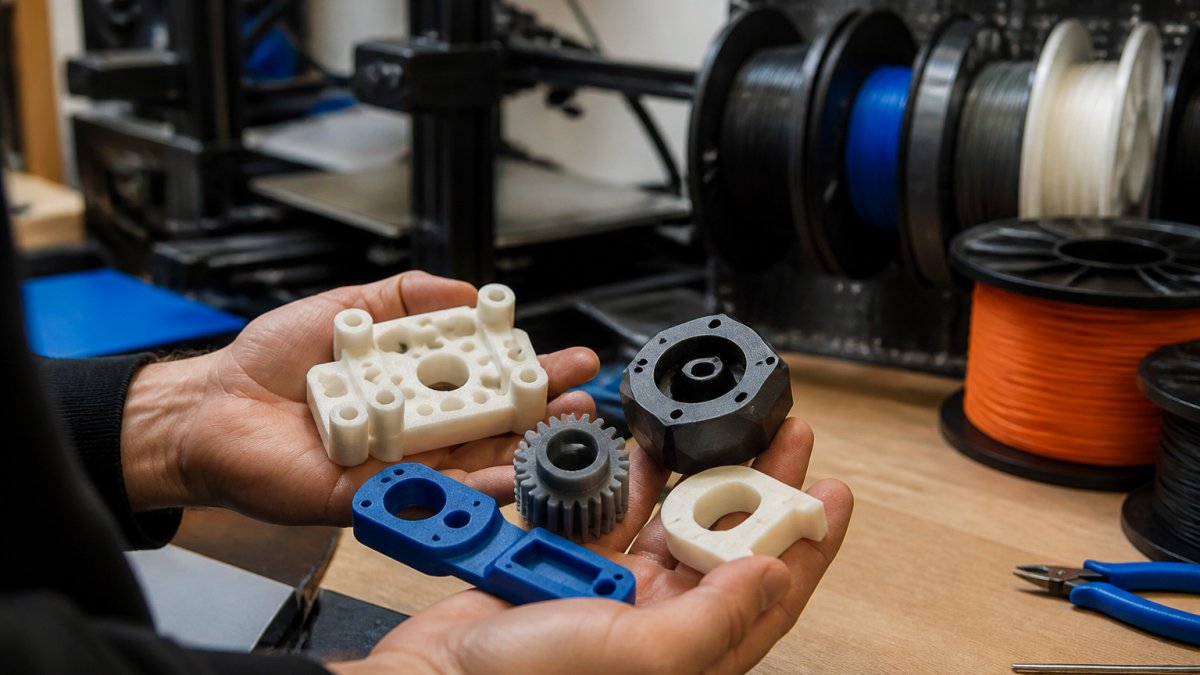
Choosing a custom 3D printing service means weighing overlapping factors, no single service excels at everything. The fastest way to compare is to score each candidate on the same six criteria below, using the same test part, so differences are real rather than marketing copy.
1. Does the service accept your files?
The first filter is whether the service accepts customer-provided files at all, many shops only work from their own design library. Confirm three things before you commit: accepted formats (STL is standard; OBJ, STEP, and 3MF are common alternates), maximum build volume per part, and whether they offer a model check or repair step. A good service flags issues before printing and suggests design tweaks if something won't print cleanly.
2. Materials and print technology
Material choice drives both quality and cost. Standard PLA is affordable and reliable for display pieces and non-functional prints. PETG offers better durability and heat resistance for functional parts. Specialized materials like nylon, TPU, or resin exist for specific applications but cost more and require expertise.
Different print technologies also matter, and the trade-offs are practical rather than academic:
| Technology | Strength | Detail / surface | Typical use | Watch-outs |
|---|---|---|---|---|
| FDM | Good, strongest along the XY plane | Visible layer lines unless post-processed | Prototypes, brackets, jigs, large parts | Weakest along the Z-axis; supports add cleanup |
| Resin (SLA/DLP) | Moderate, more brittle | Finest detail, smooth surfaces | Miniatures, jewelry masters, small precise parts | Needs curing and cleanup; handle with care |
| SLS | High, consistent in all directions | Slightly grainy surface | Complex geometries, functional end-use parts | Higher cost; longer lead times |
Most custom print services use FDM because it's cost-effective and versatile; specialty technologies cost more and take longer. When comparing services, ask what materials they stock.
3. Turnaround time and shipping
Shipping adds to the total timeline, and a service in your region ships faster than one across the country. Pewgilist offers local pickup in Central Texas, so there's no shipping wait if you're nearby; remote customers add 3-5 business days. Compare quoted lead times on the same part, not the homepage's "as fast as" claim.
4. Quality and surface finish
Surface finish varies by technology and material. FDM prints show visible layer lines unless sanded, vapor-smoothed, or painted. Resin prints start with finer detail but need careful curing and cleanup. PETG produces stronger parts with better layer adhesion than PLA, which matters under stress.
Ask prospective services for samples or portfolio images, and look for real examples of their work rather than marketing photos.
5. File preparation and design support
This is where services separate most sharply. Some print a file as-is; others review the model, flag thin walls or non-manifold geometry, and offer design assistance from a sketch.
6. Reliability, revisions, and buyer protections
Before you upload a design, confirm the service's policies on failed prints, refunds, reprints, and file privacy. Ask how they handle confidential designs, whether files are deleted after production and who has access. Responsiveness before the sale predicts how problems get resolved after it.
How to Prepare STL Files for 3D Printing
Before you upload a file to any service, make sure it's actually printable. A poorly prepared STL wastes time and money, and most services will reject it or charge for a repair. Here's what to verify, what formats to use, and what to do when you only have an idea.
Check the mesh first
Confirm your model is a solid, closed mesh, gaps, holes, or non-manifold geometry cause print failures, and most slicing software flags them. Ensure wall thickness is adequate (under 1 mm breaks easily), and note that overhangs need supports, which add material cost and cleanup.
Size, scale, and orientation
Scale matters: too small gets lost in support material, too large requires multiple pieces or becomes prohibitively expensive. Check the service's published minimum and maximum dimensions before designing. Orientation matters too, vertical grain runs along the Z-axis and weakens parts in that direction, so angling your model to distribute stress across axes improves strength.
Pick the right file format
STL is the standard, though many services also accept OBJ, STEP, or 3MF. STEP and 3MF preserve more design intent, so use them when supported. Otherwise export a binary STL for smaller file size, and ASCII only when a service specifically asks.
What to do when you only have an idea
You don't need a finished model to order. Many custom-print services offer design assistance: provide a sketch, reference photos, dimensions, or a rough concept, and their team models it or repairs an existing file.
Run a pre-flight check before you upload
Before submitting, confirm five things: the mesh is watertight, wall thickness meets the material minimum, the part fits the build volume, orientation distributes stress sensibly, and the file is in an accepted format. Most print failures trace back to one of these five.
NextShapes Standard PLA 1.75mm – 1KG →
Custom Miniature 3D Printing for Tabletop Gaming
Tabletop gamers have specific needs general-purpose print services don't always meet: fine detail, smooth surfaces, and colors that match your paint scheme.
3D printing for miniatures demands precision. Detail loss happens if the model is too small or uses thin features. Most miniature prints work best at 28-32mm scale, which gives enough resolution to capture facial features and fine armor details. Anything smaller risks losing definition.
Material choice matters. Standard PLA works but can show layer lines on smooth surfaces; PETG offers better surface quality and durability. Specialty resins capture even finer detail but cost more and require longer post-processing.
3D Printing Service for Custom Parts: When to Outsource vs. Print at Home
The outsourcing decision comes down to volume, material needs, and time constraints.
Print at home if you're running frequent iterations, you can test, adjust, and reprint quickly without waiting for turnaround, and avoid per-unit costs and shipping delays. The downsides are equipment cost, material waste from failed prints, and limited material options; home printers handle PLA and PETG well but struggle with specialty materials.
Outsource when you need materials your home printer can't handle, nylon, TPU, high-temperature resins, or specialty composites, or when producing in volume, since a service's economy of scale lowers per-unit costs even after shipping. Outsource too if you want professional design feedback before production.
A hybrid approach works well for many makers. Use your home printer for prototypes and testing. Once a design is finalized, send production runs to a service. This minimizes waste while letting you iterate quickly.
Building Your Own Supply Chain: Filament + Custom Services
Serious makers benefit from combining in-house printing capacity with outsourced services.
Stock quality filament for your home printer. NextShapes PETG HF offers strong layer adhesion and low warping, making it reliable for functional prints. The core colors run $13.99 per kilogram, while extended colors like Transparent Purple and Bronze are $18.99. If you're printing regularly, the NextShapes PETG 4-Pack Bundle at Pewgilist gives you four colors for $48.00, which works out to $12 per kilogram, a small savings that adds up over time.

For projects requiring specialty materials or high volume, partner with a service that accepts your files and delivers consistent results. This two-tier approach gives you flexibility: quick turnaround for testing and small batches at home, professional quality and scale for production runs.
Document what works. Keep notes on nozzle temperatures, print speeds, and material combinations that produce good results. This knowledge transfers between your home printer and the services you work with.
Conclusion
Choosing the right 3D printing alternatives means understanding what each service does well and matching that to your project needs. Material options, turnaround time, design support, and quality all factor in. Some projects demand the precision and scale of professional services. Others benefit from the speed and control of home printing.
At Pewgilist, we help makers build complete printing setups with quality filaments like NextShapes PETG HF, design guidance, and access to custom printing services when you need them. Whether you're printing miniatures for tabletop gaming, functional parts for your workshop, or prototypes for a new project, having the right materials and partners makes the difference.
Shop NextShapes filament at Pewgilist and bring your designs to life with materials trusted by makers.
| Factor | Home Printing | Outsourced Service |
|---|---|---|
| Turnaround | 1-3 days | 5-10 days + shipping |
| Material options | Limited (PLA, PETG) | Extensive (specialty materials) |
| Per-unit cost | Higher (equipment amortized) | Lower at volume |
| Design feedback | Self-directed | Professional review available |
| Iteration speed | Fast (immediate reprints) | Slower (wait for service) |
| Best for | Testing, small batches | Production, specialty materials |
Frequently Asked Questions
What file do I need to submit for a custom 3D print?
You need an STL (stereolithography) file, which is the standard format for 3D printing. STL files contain the 3D model geometry that your printer reads to build the part layer by layer. Most custom 3D printing services accept STL files directly from design software like Fusion 360, Blender, or Tinkercad. Before submitting, check that your file is properly oriented, has no internal errors, and meets the service's minimum wall thickness and detail requirements. Many services offer design assistance if your file needs adjustments.
Which 3D printing materials are suitable for custom prints?
The best material depends on your project's needs. PLA is rigid and easy to print, making it ideal for display pieces and prototypes. PETG offers greater durability and toughness, perfect for functional parts, brackets, and organizers that need to withstand stress. Resin printing produces finer detail for miniatures and jewelry. Specialty materials like nylon or flexible TPU exist for specific applications. When choosing a custom 3D printing service, verify they stock the material your design requires and can achieve the surface finish and strength your project demands.
How can I compare the quality of online 3D printing services?
Check surface finish quality by requesting sample photos of completed prints in your material of choice. Ask about their quality control process and whether they inspect parts before shipping. Read customer reviews that mention actual part quality, not just speed. Confirm their shipping process protects finished parts from damage.
Can I get a miniature or hobby model 3D printed from my own design?
Yes, many custom 3D printing services accept customer-provided files for miniatures and hobby models. Resin printing typically delivers the finest detail for miniatures, though SLA and DLP technologies vary in resolution. When submitting your design, ensure your STL file has no floating or unsupported geometry. Provide clear reference images showing the intended scale and desired surface finish.
Should I outsource 3D printing or invest in a home printer?
Outsource if you need occasional prints, specialized materials, or fine detail that consumer printers struggle with. Outsourcing also eliminates setup time, maintenance, and failed print waste. Invest in home printing if you print regularly, want to experiment with designs iteratively, or need fast turnaround for prototyping. Home printing offers flexibility but requires learning curve, material investment, and troubleshooting time. Many makers do both: use a home printer for quick iterations and testing, then outsource to a service for final production-quality parts or materials their printer can't handle.